The Complete Ecosystem
Everything you need to keep track of your critical services, from the kernel to the cloud.
SSI Agent
Lightweight Linux daemon. Runs BASH scripts, monitors systemd services, and streams updates via secure WebSocket.
SSI Backend
Powerful Django & Channels server. Handles authentication, real-time message routing, and data persistence.
Native Client
React Native mobile app. Receive push notifications, view real-time logs, and manage your infrastructure on the go.
Install the Agent
Deploy the SSI Agent to your Linux servers in seconds. One command, zero configuration.

Prerequisites
This one-liner clones the repository and runs the installer. It sets up the agent with systemd service, creates the ssi-agent user, and configures everything automatically.
Access Anywhere
Monitor your infrastructure from any device. Real-time updates synchronized across all your clients.

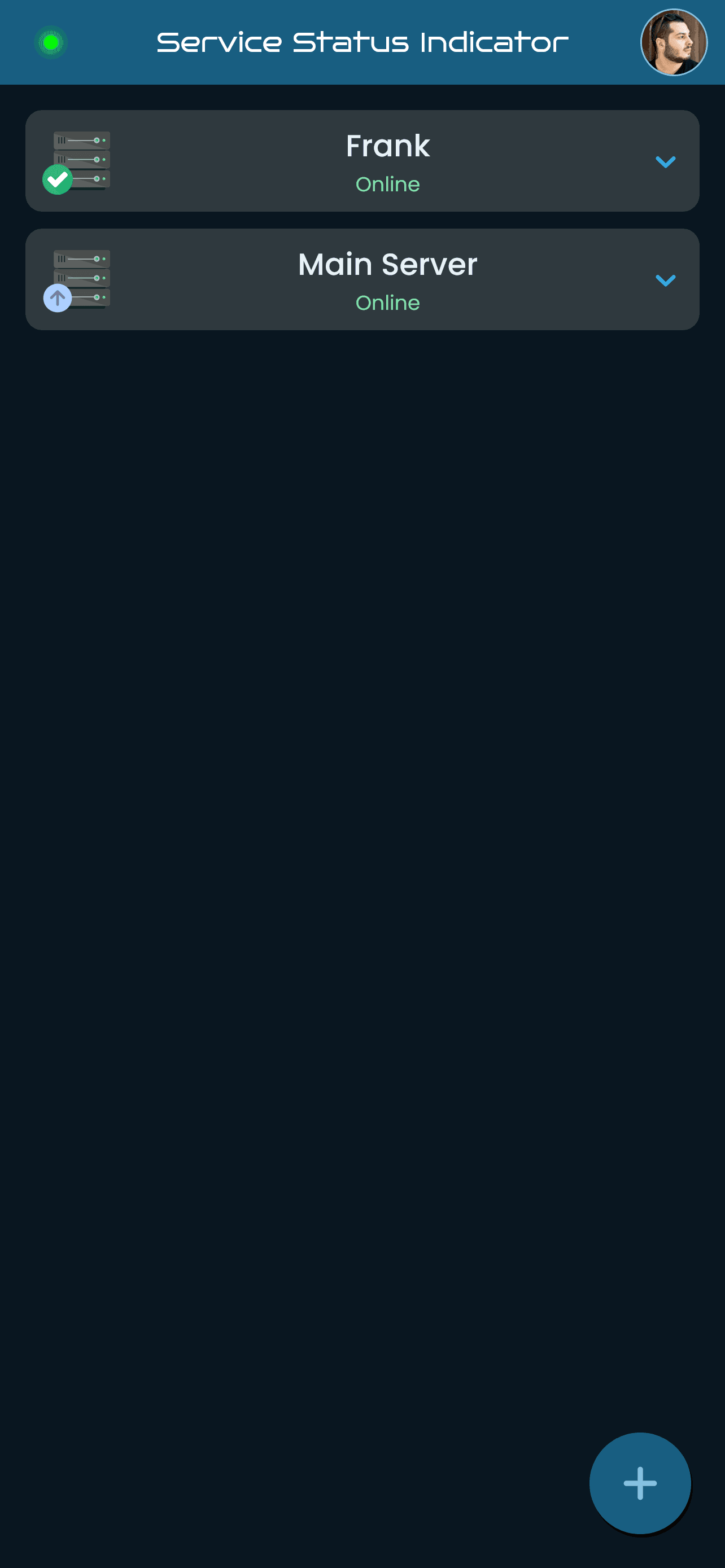
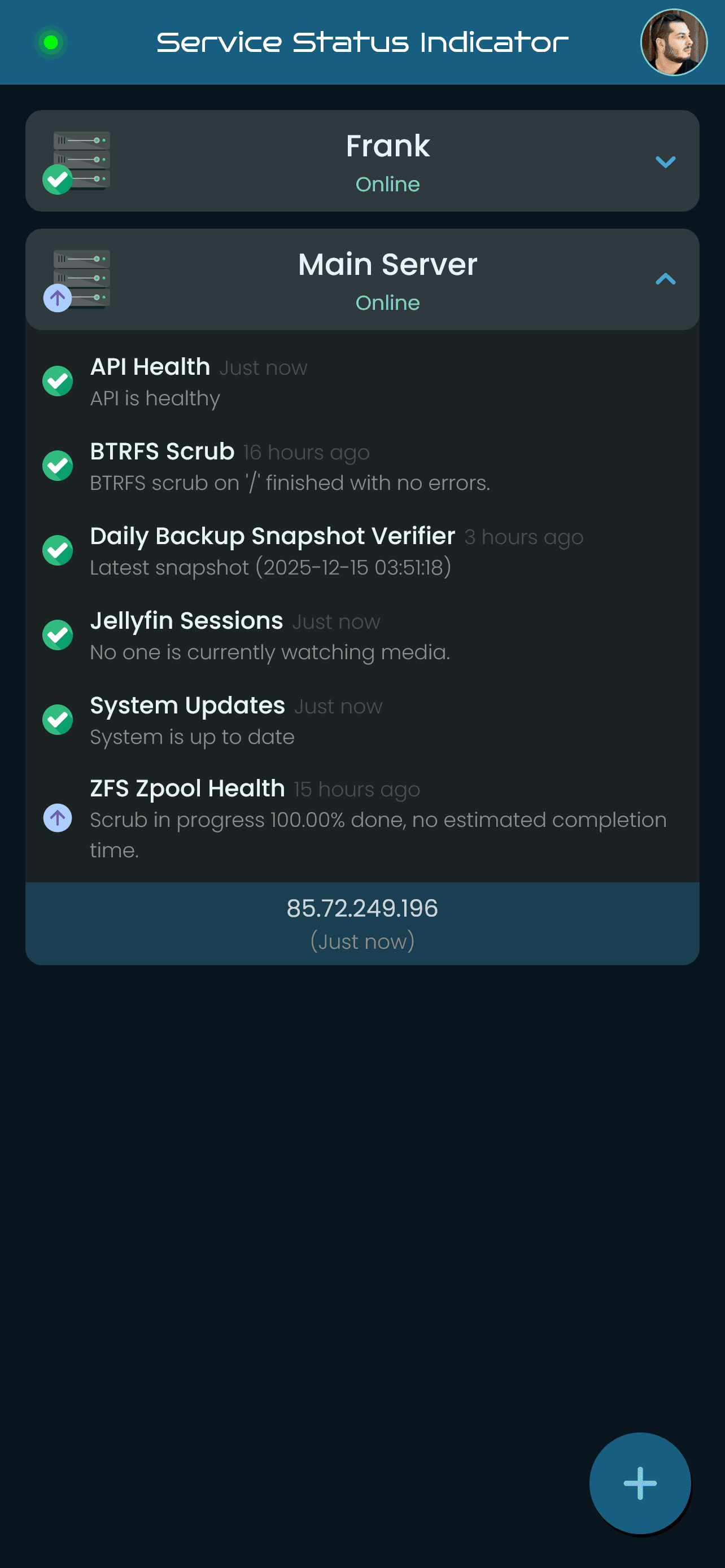
Mobile App
Monitor your servers on the go with native push notifications. Get instant alerts when services go down.
Available on Android. iOS support coming soon.
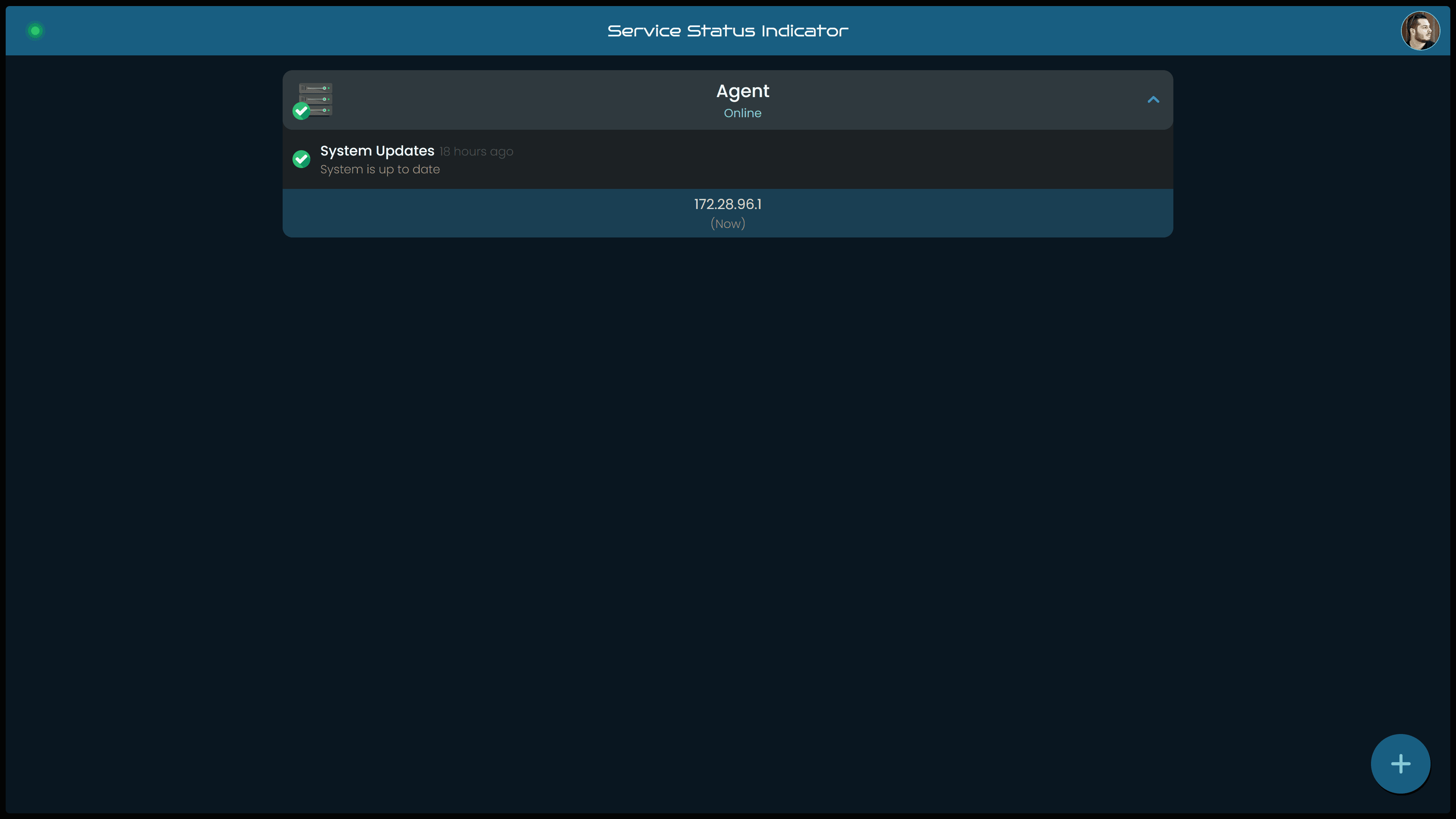
Web Dashboard
Access your infrastructure from any browser. Full-featured dashboard with real-time WebSocket updates.
Under the Hood
See how data flows through the entire SSI system, from your service scripts all the way to your mobile app.
BASH script outputs CSV-formatted status to log file via systemd
1#!/bin/bash
2
3# --- Manifest --- #
4# name: System Updates
5# description: Checking for system updates on Debian/Ubuntu
6# version: 1.0
7# schedule: *:0/01:00
8# timeout: 20
9
10# ... (rest of standard blocks)
11
12# --- Main --- #
13# Check for both standard and security updates
14updates=$(/usr/lib/update-notifier/apt-check 2>&1)
15
16# apt-check outputs two numbers separated by a semicolon:
17# standard_updates;security_updates
18IFS=';' read -ra update_array <<< "$updates"
19total_updates=${update_array[0]}
20security_updates=${update_array[1]}
21
22# Check if there are any updates
23if [ "$total_updates" -gt 0 ]; then
24# If there are updates, output the count for both types
25echo "$TIMESTAMP, $STATUS_UPDATE, $total_updates $MSG_UPDATE_AVAILABLE ($security_updates $MSG_SECURITY_UPDATES)"
26else
27# If there are no updates, output "ok"
28echo "$TIMESTAMP, $STATUS_OK, $MSG_OK"
29fi
30
31exit 0 # Success
32
33# Note: Output status to stdout (captured by systemd)12025-09-29 23:59:12, OK, System is up to date
22025-09-30 00:00:02, OK, System is up to date
32025-09-30 00:01:03, OK, System is up to date
42025-09-30 00:02:00, OK, System is up to date
52025-09-30 00:03:05, OK, System is up to date
6...
72025-09-30 00:20:22, UPDATE, 2 available updates (2 security updates)
82025-09-30 00:21:32, UPDATE, 2 available updates (2 security updates)
92025-09-30 00:22:08, UPDATE, 2 available updates (2 security updates)
102025-09-30 00:23:26, UPDATE, 2 available updates (2 security updates)
11Instant Status Updates
Forget about refreshing pages. SSI uses WebSockets to push status changes properly to all connected clients instantly.
- Live Logs Streaming
- Instant Push Notifications
- Zero-Config Agent Registration
- Ready-to-Use Scripts
Secure by Design
Principle of Least Privilege
Support the Project
SSI is open-source and free to use. If you find it valuable, consider supporting its continued development.
Community
 ServiceStatusIndicator
Modern open-source, script-driven monitoring.
Built by Remi Zlatinis. Released under the MIT License.